Online Document Image Scanner – Scan, Edit & Download
Online Document Scanner
Professional, Secure, Browser-based Scanning
Drag & Drop Documents Here
or
Supported: JPG, PNG, WEBP, PDF
Online document image scanner makes scanning images and documents simple and accessible whenever you need it. Instead of relying on physical scanners or installing extra software, you can upload a document photo directly in your browser, adjust and enhance it, and convert it into a clean, shareable PDF within minutes. Whether you’re digitizing school assignments, office paperwork, receipts, ID cards, or handwritten notes, this online document image scanner helps transform paper files into secure, shareable digital documents quickly and efficiently, all within your browser.
How to Use the Online Document Image Scanner
Follow the infographic below to scan image files, documents, and photos quickly using our Online Document Image Scanner.
Steps to Use the Online Document Image Scanner
Here’s a simple guide to help you scan image files, paper documents, and photos in just a few easy steps.
Step 1 – Upload Your Image or Document Photo
Start by uploading a photo from your file to this online document image scanner , or taking a picture directly using your camera to scan online documents and images. You can also select images from your gallery or drag and drop files for convenience. The tool supports JPG, PNG, and WEBP formats, so compatibility is never an issue which converts jpg to scanned image. This online scanner makes uploading simple and quick, letting you start scanning within seconds.
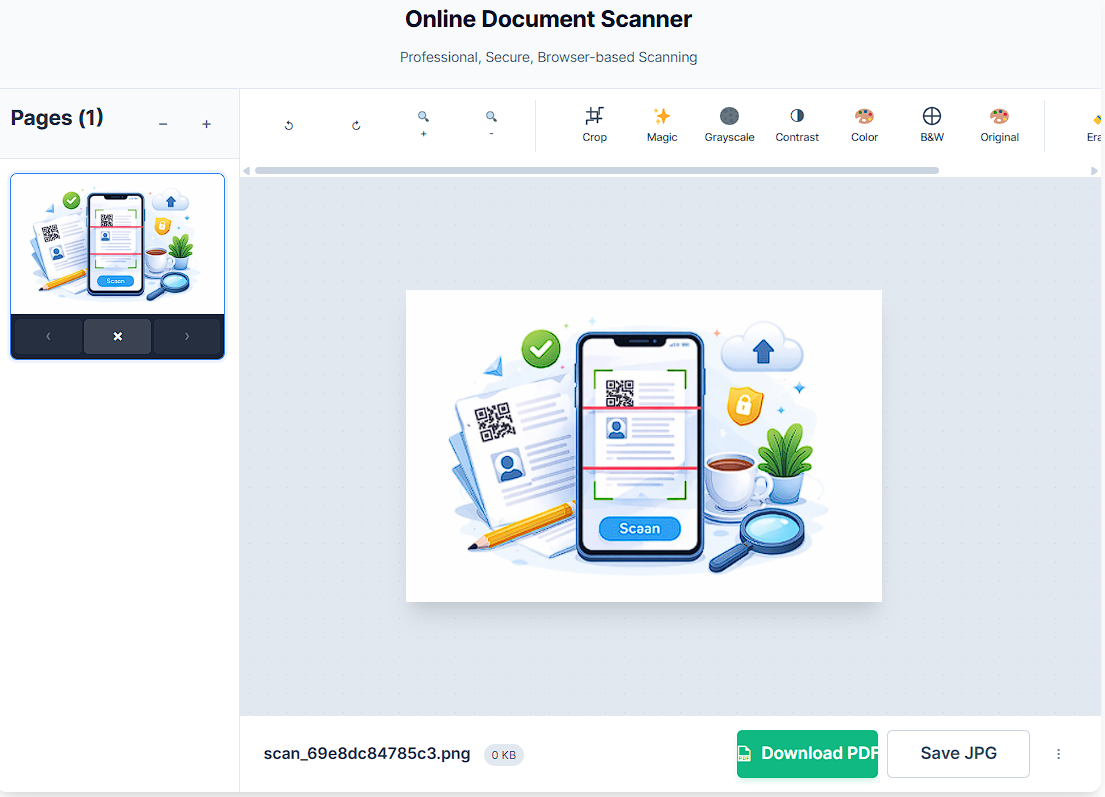
Step 2 – Adjust and Crop Your Image or Document
Once your document is uploaded, the online document image scanner can automatically detect edges and corners. You can also adjust corners manually, rotate, and tweak brightness, contrast, and zoom to make sure everything is clear using this free scanner online. The crop tool allows you to remove unwanted background and focus on the document. These adjustments ensure your scanned document looks neat, professional, and ready for use with this photo scanner online for free.
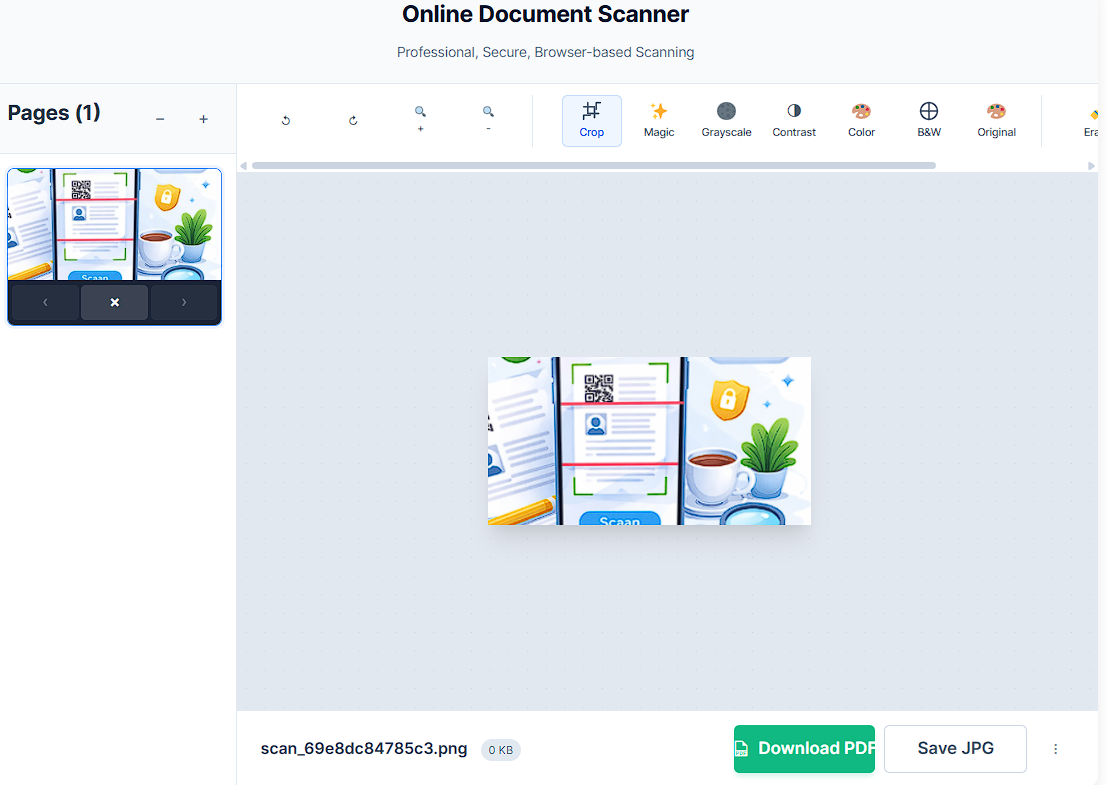
Step 3 – Further Improvements and Page Setup
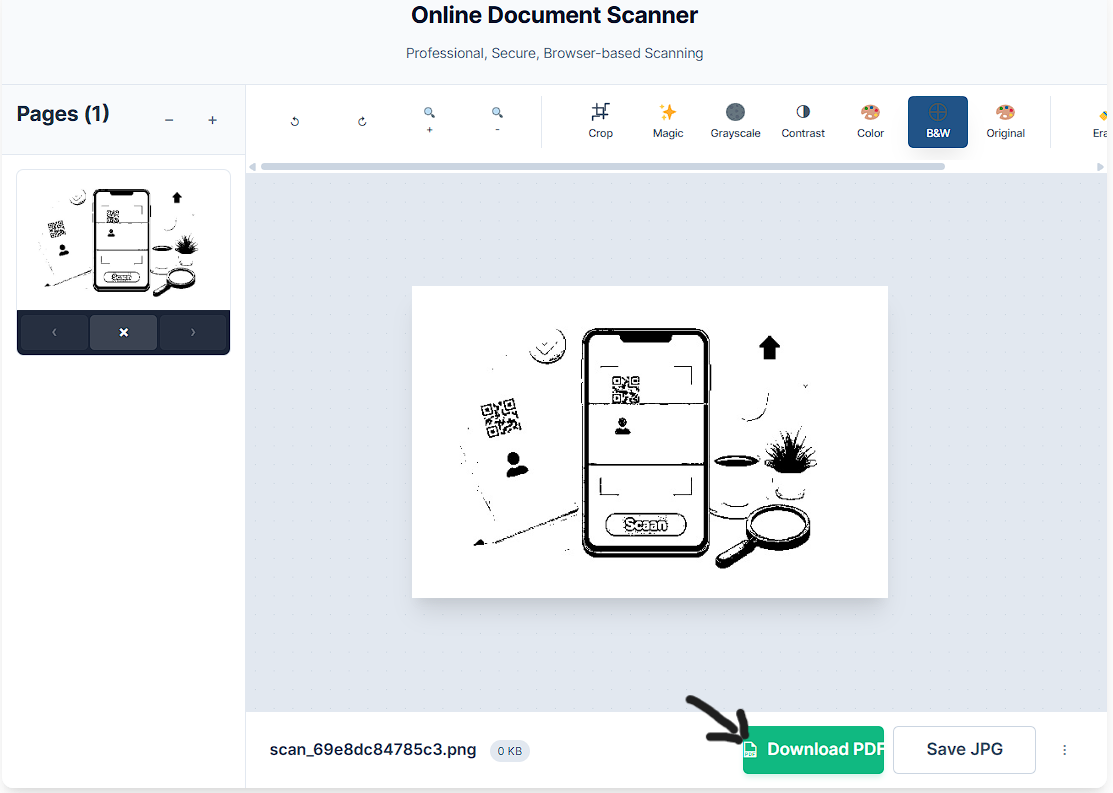
After cropping, you can add more pages, delete unwanted ones, or rearrange the order. The online document image scanner offers scanning effects like super scan, magic scan, black & white, original, color enhancement, grayscale, and high contrast to improve clarity to scan image and documents. You can also use annotation tools like the highlighter, pen, eraser, and repaint tools. For better formatting, this online picture scanner includes page setup options such as layout (portrait or landscape), page size (A0–A5, Letter, Legal), and adjustable margins. This online scanner makes it easy to create a polished multi-page document ready for sharing or printing.
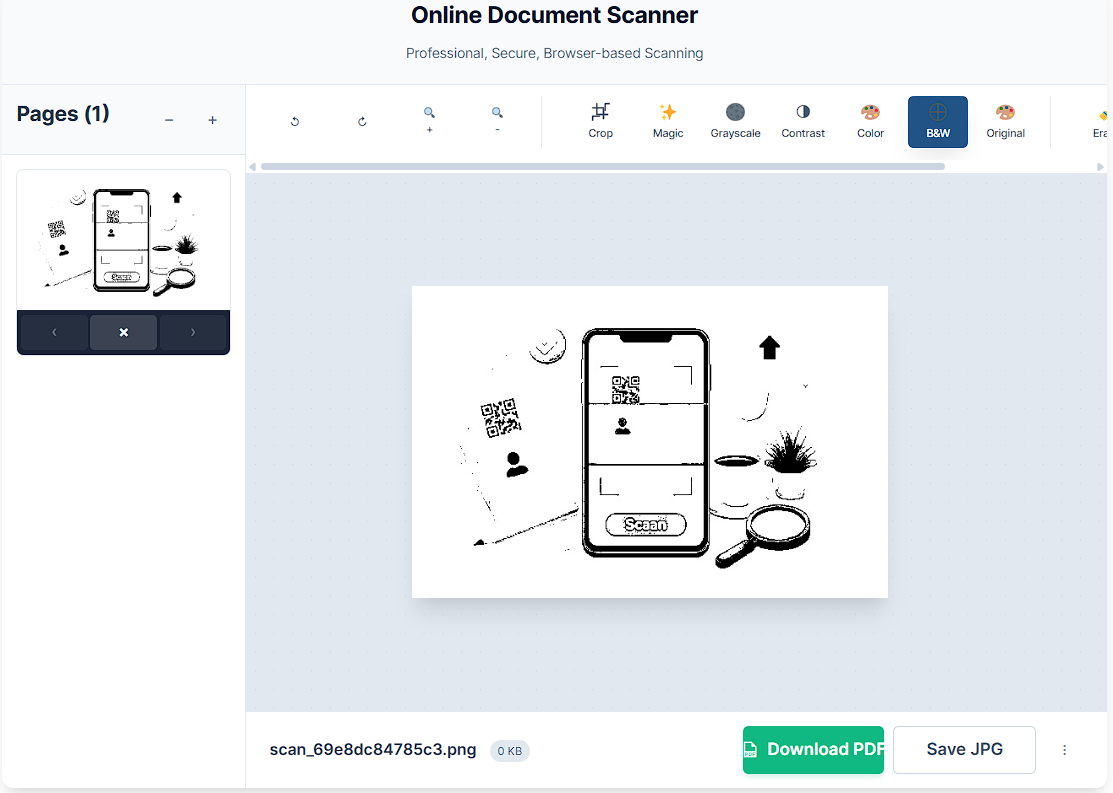
Step 4 – Download Scanned Image or Document
Once your editing is complete, the download button allows you to save your document in multiple formats. You can choose JPG, PNG, or PDF, and the online scanner ensures high-quality export and print-ready results. You can also copy results or save them directly to your device. This online scanner lets you scan and share documents instantly.
Key Features of Our Online Document Image Scanner
This online document image scanner comes with essential functions like rotate, adjust, zoom, fit, crop image online, add, delete, and effects buttons. The tools menu includes highlighter, pen, eraser, and repaint tools to annotate documents easily. You can manage layout, page size, margins, and download formats effortlessly. Additional benefits include fast document processing, high-resolution scanning, secure browser processing, unlimited scans, cross-platform compatibility, and mobile/desktop support. All these features make this online scanner simple, efficient, and professional.
Supported File Formats
The online document image scanner supports JPG/JPEG, PNG, and WEBP for uploads and can output scans as PDF files. This multi-format support ensures you can convert almost any image into a clean, professional document. It’s flexible, so whether you’re scanning receipts, contracts, ID cards, or handwritten notes, the online scanner provides the format you need.
Benefits of Using an Online Document Image Scanner
Using this free online document image scanner offers many advantages over traditional scanners. It provides secure scanning, works on all devices, and requires no additional apps. The fast processing and user-friendly interface make it ideal for students, professionals, and home users to scan images online. You can digitize printed documents, scan receipts, contracts, ID cards, invoices, and school assignments, or store them safely online. This online scanner image converter is a convenient, reliable way to maintain a paperless workflow while keeping files accessible anytime.
Security & Privacy Protection
All files are handled with secure file processing in the browser, so there is no server storage. Files are automatically deleted after processing to maintain data privacy protection. Encrypted transfer and GDPR compliance guarantee that your information stays safe. With no data retention, this online scanner ensures you can confidently scan sensitive documents while keeping your privacy protected.
Why Choose Our Online Document Image Scanner to Scan Images and Documents ?
This online document image scanner is a free alternative to CamScanner, offering professional scan quality without watermarks to scan an image online. There’s no login required, and the simple user interface makes it accessible to anyone. With one-click scanning and instant results, this online scanner helps you scan, edit, and download your documents efficiently. It’s the perfect solution for both casual users and professionals who need a fast, reliable online scanner.
Explore More Free Online Tools
We offer more than just an online photo scanner. Explore our collection of free online tools to simplify your digital workflow. All tools work directly in your browser with secure processing and no installation required.
Online Tool Comparison & Features
Compare our powerful online document tools designed for secure, fast, and professional file processing. All tools work directly in your browser with no installation required.
| Tool Name | Primary Function | Key Features | High-Volume Keyword Focus |
|---|---|---|---|
| Online Document Image Scanner | Scan, edit & convert documents | Auto edge detection, crop, rotate, brightness adjustment, multi-page PDF export | Scan documents online free |
| QR Code Scanner Online | Scan QR codes from image or camera | Instant QR reading, secure link detection, mobile & desktop support | Scan QR code online |
| Barcode Scanner Online | Read barcodes from uploaded image | UPC, EAN detection, fast barcode reading, product code scanning | Online barcode scanner |
| Image to PDF Converter | Convert images to PDF format | JPG, PNG, WEBP support, adjustable page size, high-quality PDF output | JPG to PDF converter online |
Frequently Asked Questions About Our Online Document Image Scanner
Our Online Document Image Scanner makes scanning documents, photos, and QR codes effortless. Below are the most common questions users ask about using the tool, its features, and tips for getting the best results.